![logo_white.svg]](https://help.garantme.fr/hubfs/website2023/_logos/logo_white.svg)
The debt statement lists, line by line, what the tenant owed and what they paid. Without it, the unpaid rent claim cannot be completed or compensated.

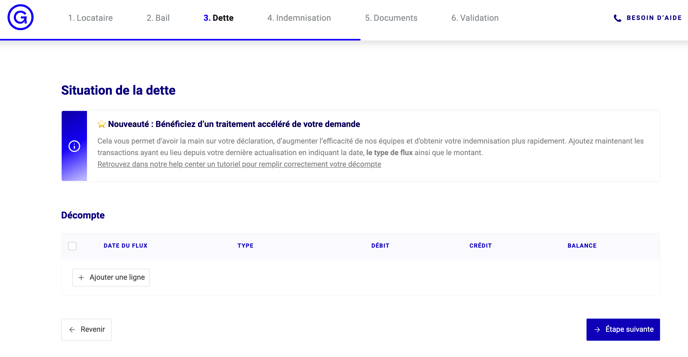
What does the statement table contain?
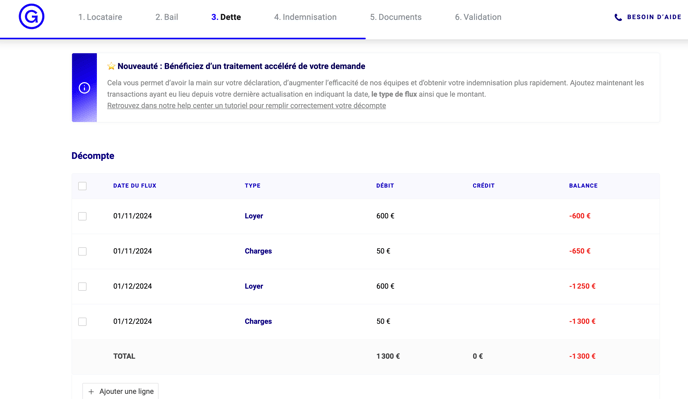
| Column | What you enter |
|---|---|
| Date du flux (date) | Due date of the rent and charges, or date of the tenant's payment |
| Type | Label: "Loyer" for a rent call, "Paiement locataire – Loyer" for a tenant payment |
| Débit / Crédit | Amount, placed automatically as debit or credit depending on the type |
| Balance | Statement balance, calculated automatically |
How do I add lines?
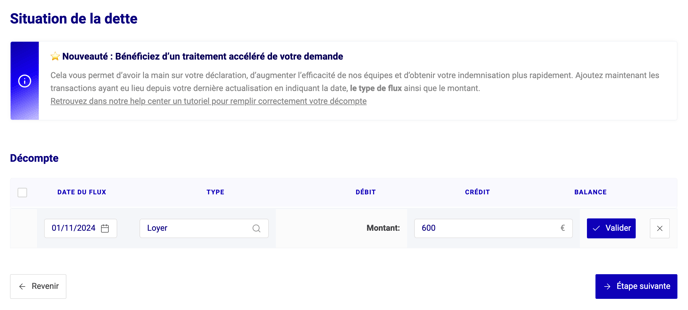
Add a line: button at the bottom of the table; enter the due date set in the lease, the type and the amount due.
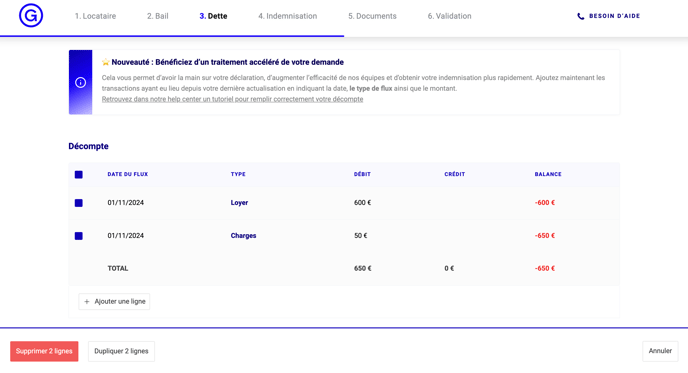
Duplicate: select a month's lines, then "Duplicate"; they are carried over to the 1st of the next month.
How do I correct a mistake?
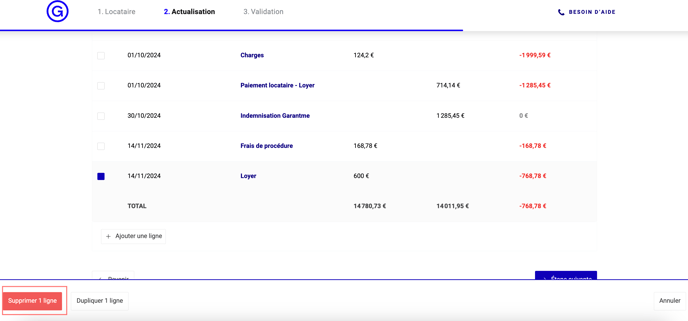
Tick the line to delete it, or click the cell to edit it.

Which supporting documents are needed?
For unpaid charges such as the household waste collection tax (TEOM), the supporting document is mandatory.
What happens next?
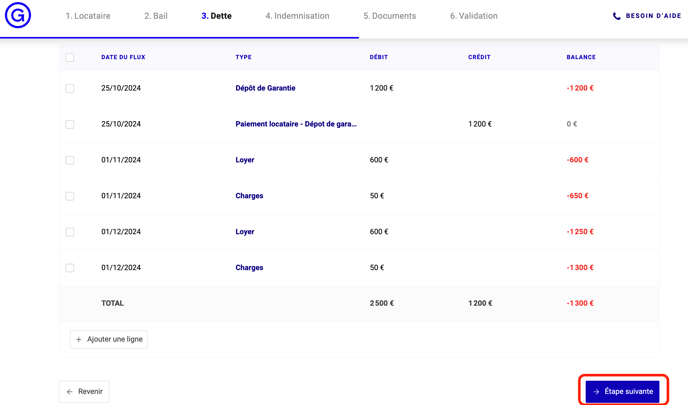
Click "Étape suivante" to continue the claim. Garantme pays within 5 working days of the claim; each month, you will update the debt (updating a Garantme claim online).
Questions: your dedicated claims handler answers at recouvrement@garantme.fr.
Updated on 11 November 2026.